Quick answer: Gemma 4 is Google's newer open model family with explicit mobile and edge positioning. To use it on iPhone in a local chat workflow, look for a compatible mobile-sized package or GGUF-style build supported by your app. Local AI Chat already focuses on local models and compatible imports, so it is the kind of app to watch for mobile Gemma workflows.
What changed with Gemma 4
Google announced Gemma 4 on April 2, 2026 as an open model family for advanced reasoning and agentic workflows. Google's developer post also describes mobile support across Android and iOS through Google AI Edge tooling, with smaller effective-size models aimed at edge use.
That is important for iPhone users because local AI is moving from hobbyist desktop workflows toward everyday apps. But it does not mean every Gemma 4 model file will run well on every phone. Model size, format, quantization, and app support still decide the actual experience.
Gemma 4 on iPhone: the realistic path
- Look for mobile-sized variants. The edge-focused models are the ones to watch first, not the largest desktop or server variants.
- Check the app's supported import format. If your app supports compatible GGUF imports, use a trusted model file that matches that path.
- Use Wi-Fi for the first download. Model files can be large. Download once, then use supported local inference offline.
- Test the task you actually care about. Ask it to summarize a note, rewrite a message, explain a screenshot, or draft a reply. Benchmarks matter less than your daily workflow.
- Keep a fallback model installed. If a new model is slower than expected, a smaller built-in model can still be better for quick private work.
Gemma 4 vs Gemma 3 vs Llama on iPhone
The best iPhone model is not always the newest model. Gemma 4 may be attractive for agentic and multimodal capability, while older or smaller Gemma variants may feel faster. Llama-family models may have more community GGUF variants. Qwen, SmolLM, Mistral, and Phi can also be good fits depending on the task.
Where Local AI Chat fits
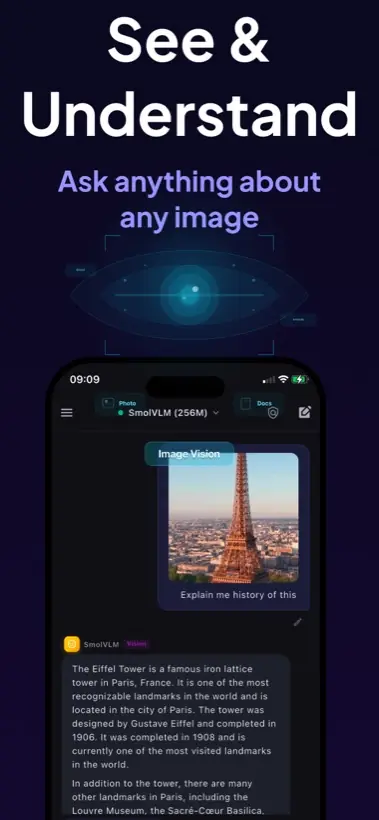
Local AI Chat is not just a place to type prompts. It is a private mobile AI app for running supported models on device, using image understanding, listening with text-to-speech, and importing compatible GGUF models by URL. That makes it a practical iPhone app for people searching "run Gemma on iPhone" or "run local AI on mobile."
The honest advice: do not install a model because it is trendy. Install it because it runs well on your device and helps with your real tasks.
Privacy and offline use are the actual reason
If you always have a fast connection and do not care where prompts are processed, cloud AI will often feel easier. Local Gemma-style workflows are most compelling when you want AI close to your own device: private notes, personal questions, screenshots, study material, travel, and weak network situations.
Bottom line: Gemma 4 is a strong signal that mobile local AI is becoming mainstream. On iPhone, start with compatible efficient models, then move up only when speed and battery life still feel good.
Sources and useful references
Read Google's Gemma 4 announcement, the Google Developers post on Gemma 4 at the edge, and Google's Gemma getting started guide.