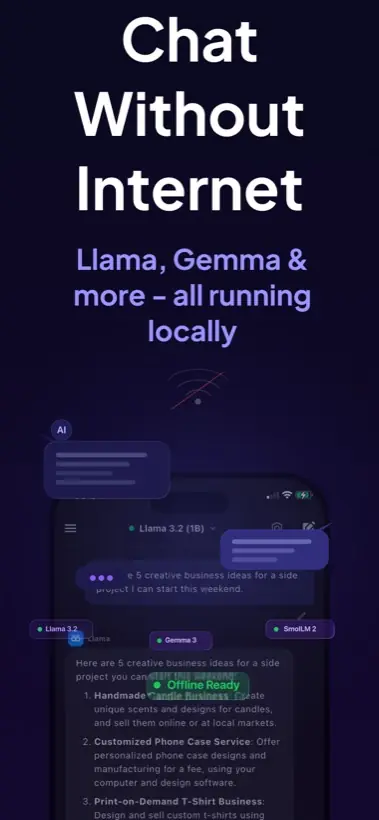
Quick answer: You can run local AI on mobile by using an app that performs on-device inference. Local AI Chat is built for iPhone and iPad users who want offline chat, private prompts, image understanding, text-to-speech, and compatible GGUF model imports without an account or API key.
What local AI means on a phone
Local AI means the model file sits on your device and your phone does the inference work. The app is not simply a remote chat window. For supported local models, prompts can be processed on the iPhone or iPad itself, which changes the privacy and offline story.
This is different from a typical cloud chatbot. A cloud assistant can be stronger for very hard reasoning, but it normally needs a network connection and remote processing. Local AI is useful when the prompt is personal, the network is weak, or you want a model available in airplane mode.
How to run local AI on mobile
- Install a real local inference app. Choose an app that says models run on device, not just a web wrapper. Local AI Chat is designed for private offline AI chat on iPhone and iPad.
- Start with a mobile-sized model. Smaller and quantized models are the practical starting point. They use less storage and memory, and they respond faster on mobile hardware.
- Download the model while you have good Wi-Fi. Once the model file is on the device, supported local chat can continue without internet access.
- Test a simple prompt in airplane mode. Ask for a summary, a rewrite, or a short explanation. This confirms the app is using local inference for that model.
- Add image or voice workflows only when needed. Image vision and text-to-speech are useful, but plain chat is the best first test for speed and battery behavior.
What to expect from mobile performance
Phones are efficient, but they are still phones. A small local model can feel very useful for notes, brainstorming, translating, coding questions, and explanations. A huge cloud model will still be better for some advanced tasks. The smart workflow is not local AI versus cloud AI forever. It is using the right one for the job.
Why iPhone and iPad are good local AI devices
Your private context already lives on your phone: screenshots, messages, documents, notes, photos, ideas, and drafts. That is exactly why local AI is useful on mobile. You can ask for help without making a cloud upload the default path for every small prompt.
Apple also documents on-device foundation model access for Apple Intelligence-capable app workflows, which shows the broader direction of mobile AI. Local AI Chat focuses on a practical user-facing path today: local model chat and compatible model imports inside a simple iPhone and iPad app.
Common mistakes to avoid
- Do not assume every AI app is local just because it has an iPhone app.
- Do not start with the largest model you can find. Start small, then increase quality if speed is acceptable.
- Do not delete model files if you need offline access later.
- Do not expect local mobile AI to replace the largest cloud models for every task.
Practical recommendation: Use Local AI Chat when your goal is a private AI assistant on iPhone or iPad that can work offline with supported models. Use cloud AI when you knowingly need the biggest remote model.
Sources and useful references
For broader context, see Apple's Foundation Models framework, Google's Gemma 4 announcement, and Hugging Face's GGUF format notes.