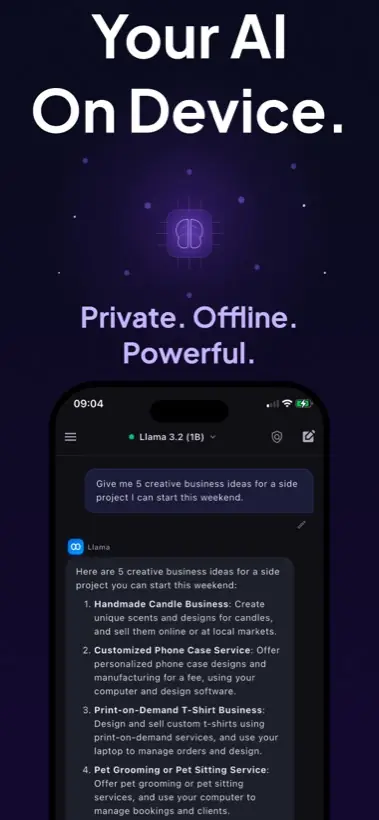
Quick answer: To run Llama on iPhone, use a local AI app that supports compatible model imports, choose a smaller quantized GGUF model, download it over Wi-Fi, then test it in airplane mode. Local AI Chat supports compatible GGUF imports by URL and is designed for private on-device chat.
First, be precise about "Llama on iPhone"
People use the phrase in a few different ways. Sometimes they mean an official Meta Llama model. Sometimes they mean a model derived from or compatible with the Llama ecosystem. Sometimes they just mean "a local LLM that runs like the desktop local AI tools I have seen."
That distinction matters because the model license, file format, quantization, and device memory all affect whether a specific file is practical on an iPhone.
The practical setup path
- Pick the app first. The app must do local inference and support the model format you want. Local AI Chat is built around local LLM chat and compatible GGUF imports.
- Choose a small quantized model. A mobile device is not the place to start with a massive model. Smaller quantized files usually give the best first experience.
- Check storage before download. Keep extra free space beyond the model file itself. iOS and the app both need room to work comfortably.
- Import with a direct model URL when supported. Local AI Chat's App Store listing says compatible GGUF models can be imported by pasting a download link.
- Test offline before relying on it. Turn on airplane mode and ask a short question. If it responds, you have confirmed the local workflow for that model.
What is GGUF and why does it matter?
GGUF is a common format in the local AI ecosystem because it stores model weights and metadata in a way local inference engines can load efficiently. Hugging Face documents GGUF support on the Hub, and many community model pages provide quantized GGUF variants for local use.
For iPhone users, the important point is simple: a model being famous is not enough. The file has to be in a compatible format, small enough for your device, and appropriate for the app you are using.
Which Llama model should you try first?
Start with the smallest model that can do the job. If you mostly need rewriting, brainstorming, summarizing, study help, or casual coding questions, a compact model is often more pleasant than a large one that responds slowly.
Where Llama fits beside Gemma, Qwen, and other models
Llama is only one family in the local model world. Local AI Chat also mentions built-in open-source model families such as Gemma, Qwen, and SmolLM, plus compatible GGUF imports such as Llama, Mistral, and Phi. In practice, you should compare models by how they behave on your device, not just by brand name.
Note: Meta announced Llama 4 Scout and Maverick in April 2025, but those are not automatically the right choice for every phone. Mobile users should prioritize compatible, efficient variants.
When local Llama on iPhone is worth it
- You want AI in airplane mode or weak-signal places.
- You are working with private notes, rough drafts, or sensitive screenshots.
- You want to experiment with local models without setting up a desktop server.
- You do not want an account or API key for everyday AI chat.
Sources and useful references
For model context, see Meta's Llama 4 announcement, Hugging Face's GGUF documentation, and the llama.cpp project.