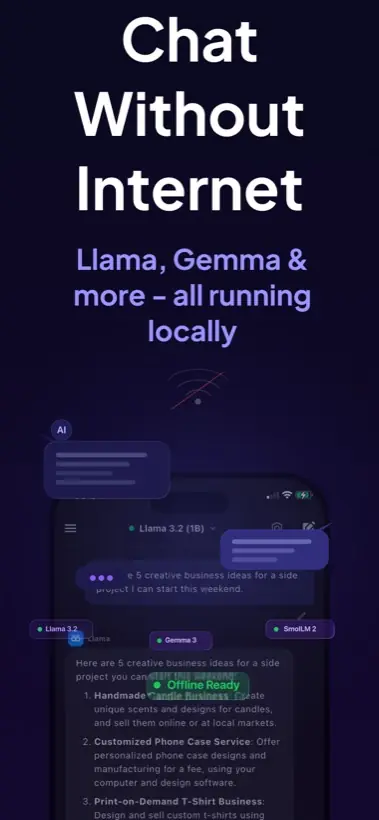
Quick answer: ChatGPT normally needs internet because prompts are processed by remote models. Local AI Chat is different: supported local models run on iPhone or iPad after setup, so everyday AI chat can work without Wi-Fi, cellular data, an account, or an API key.
Why ChatGPT usually needs internet
Most people say "ChatGPT" when they mean any AI chatbot. Technically, ChatGPT is a cloud assistant. Your prompt is sent to remote servers, a model generates the answer, and the answer comes back to your phone. That design is powerful, but it depends on a network connection.
So if your question is "Can I use ChatGPT on a plane with no Wi-Fi?", the realistic answer is no unless the app has a separate offline feature. If your real goal is "Can I use AI chat without internet?", the answer is yes with a local AI app.
What an offline AI app does differently
An offline AI app stores the model on the device and runs inference locally. Local AI Chat is built for this pattern on iPhone and iPad. After compatible model files are available, supported local chat can continue even in airplane mode.
- Install the app. You need internet once to download the app from the App Store.
- Download or import a model. Local AI apps need model files before they can answer offline.
- Test in airplane mode. Ask a simple question to confirm that the selected model is running locally.
When local AI is better than ChatGPT
- You are traveling and cannot rely on Wi-Fi.
- You want to ask about private notes, screenshots, or drafts.
- You do not want to create an account or manage API keys.
- You need a fallback assistant when cloud AI is blocked or unavailable.
When cloud ChatGPT is still better
Use cloud AI when you need the strongest available model, live web-connected workflows, very large files, or complex reasoning. Local AI is not magic. It is a practical privacy and offline layer for everyday work.
Rule of thumb: Use Local AI Chat for private, offline, everyday mobile AI. Use cloud AI when you knowingly need maximum remote model capability.