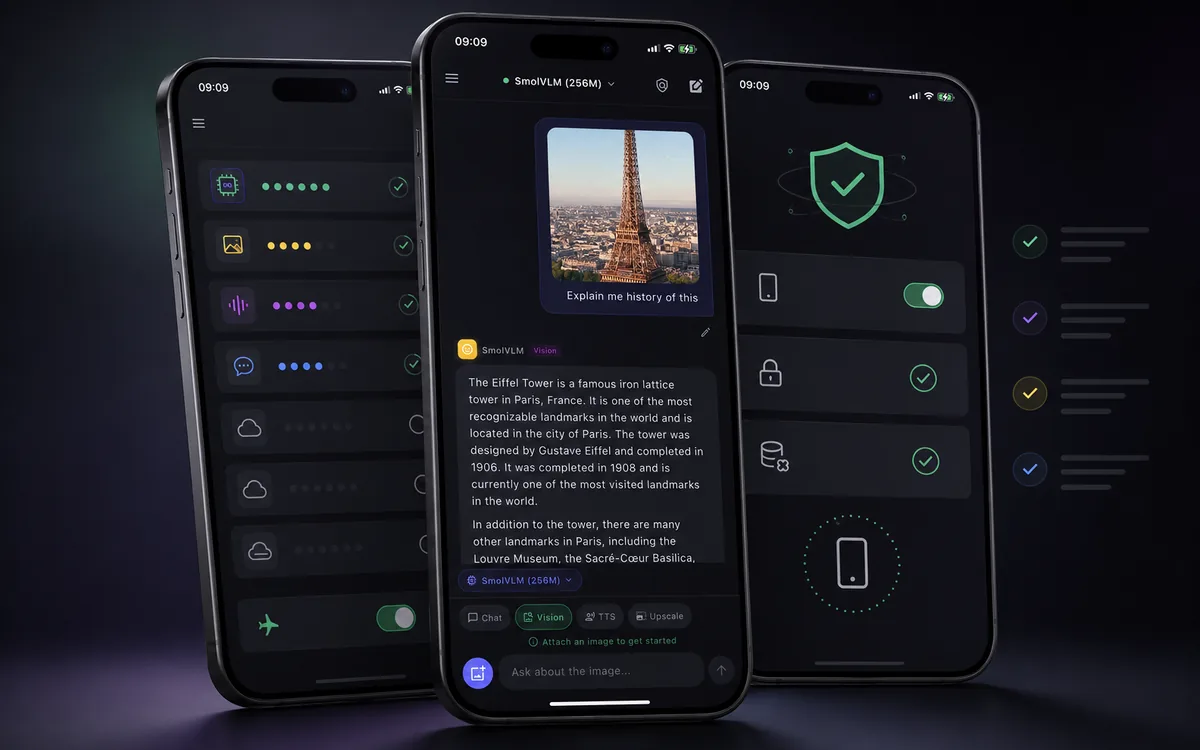
Quick answer: The best offline AI app for iPhone should run supported models on device, keep working in airplane mode after model setup, clearly explain privacy, avoid account and API-key requirements for local use, and support useful mobile workflows like screenshots, text-to-speech, and compatible model imports. Local AI Chat is built around that exact private, offline iPhone workflow.
If you are comparing offline AI apps, do not start with the loudest marketing claim. Start with the actual behavior: does the app answer after you turn on airplane mode, and does it explain which parts are local? That is the difference between a real offline AI workflow and an app that only feels private until the network disappears.
What to compare before installing
The practical offline AI test
- Install the app and pick a local model. The first setup step may require internet because apps and model files need to be downloaded.
- Open a new chat before going offline. Make sure the selected model is ready and not waiting for a cloud connection.
- Turn on airplane mode. Disable Wi-Fi and cellular, then ask a simple question.
- Test your real workflow. Try a note summary, a rewrite, an image question, or text-to-speech depending on what you actually plan to use.
This test is better than reading slogans. A real offline app should let you verify the core behavior yourself. If an app claims "private" or "offline" but cannot explain what happens in airplane mode, treat that as a warning sign.
Why Local AI Chat is a strong default
Local AI Chat is designed around the core offline use case: private AI chat on iPhone and iPad with supported local models. It does not require an account or API key for supported local features, and it includes image understanding, text-to-speech, and compatible GGUF model imports.
That combination matters because most people do not want a research project. They want an app that can answer private questions, summarize notes, explain screenshots, draft messages, and keep working when the network disappears.
It also matters because iPhone is where a lot of personal context already lives: screenshots, notes, messages, travel plans, work drafts, study material, photos, and private questions. An offline AI app is useful when it fits those mobile contexts instead of forcing every prompt through a remote service.
Feature comparison checklist
How to read competitor claims
Many apps now say "offline", "private", or "on-device". Read the details. Some apps are fully local for chat but use cloud voices. Some offer local models but require a subscription for useful features. Some run locally only on newer high-RAM devices.
Good sign: the app explains which parts are local, which parts are optional cloud, and what happens after you turn on airplane mode.
Also watch for the word "AI" being used too broadly. An app can have an offline note feature, a cloud chatbot, and a local model manager all in the same product. That does not mean every feature is offline. The best apps are specific: local chat is local, optional online features are labeled, and model downloads are explained clearly.
Who should choose an offline AI app?
- Travelers who want AI in airplane mode.
- Students who want private study help on a phone.
- Writers who draft personal notes and messages.
- Developers who want quick offline explanations or code snippets.
- Privacy-focused users who do not want every prompt processed remotely.
Best use cases for offline AI on iPhone
Offline AI is strongest when the task is personal, short, and mobile. Think of it as a private assistant for the kinds of prompts you already keep on your phone. It can help rewrite a sensitive message, summarize a saved note, brainstorm names, explain a screenshot, translate a short phrase, outline a study plan, or draft ideas when you have no signal.
It is not always the best tool for huge documents, live web research, or the hardest reasoning tasks. For those, cloud AI may still be better. The point of offline AI is not to beat every cloud model. The point is to give you useful AI when privacy, availability, and simplicity matter more than maximum model size.
What Local AI Chat is optimized for
Local AI Chat is optimized for private offline AI chat on iPhone and iPad. It is a fit for people who want local LLM workflows, compatible GGUF imports, image understanding, and text-to-speech in a mobile-first app. The best reason to use it is simple: you want AI help without making cloud upload the default path for every prompt.
That makes it especially relevant for people searching for a ChatGPT alternative that can work offline, a private AI chatbot for iPhone, or a local LLM app for everyday mobile use.
Sources and market context
Current search results show a growing group of iPhone offline AI apps, including App Store listings for local assistants and independent products focused on private on-device AI. For format context, see Hugging Face's GGUF documentation and Apple's Foundation Models documentation.